
Profile for Slack Review
Profile for Slack by OrgEngage uses AI to create dynamic employee profiles, improving Slack collaboration, onboarding, and team inclusivity.
Reviewed and updated on
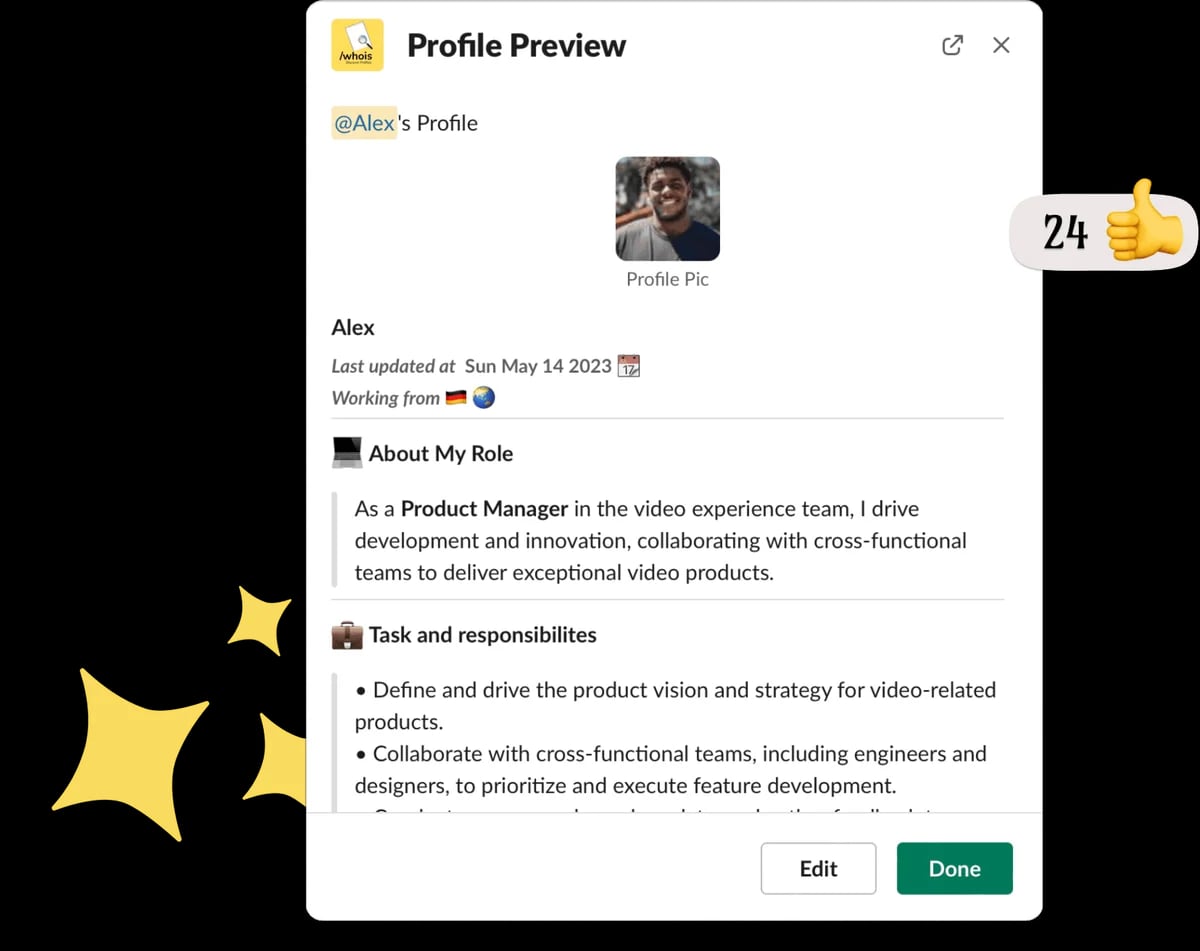
What Is Profile for Slack?
Profile for Slack is an AI-powered app designed to enhance workplace culture and collaboration by enabling employees to create, view, and share detailed profiles within Slack.
Target Audience of Profile for Slack
How To Use Profile for Slack?
Install Profile for Slack via the 'Add to Slack' button on the website. Use the /whois command to view or create profiles, encourage connections, and automate onboarding or celebrations directly within Slack.
Core Features of Profile for Slack
- AI-powered employee profiles for deeper connections
- Simple /whois command to access or update profiles
- Automated onboarding with intro sharing
- Virtual coffee chats with AI-suggested icebreakers
- Recognition and praise features for colleagues
- Celebration notifications for birthdays and anniversaries
- Watercooler chats with AI-generated topics
- Anonymous profile creation encouragement
Use Cases of Profile for Slack
- Streamlining employee onboarding in remote teams
- Boosting collaboration across geographically diverse offices
- Fostering inclusivity and belonging in workplaces
- Enhancing team dynamics through personalized interactions
- Automating recognition and celebrations in organizations
FAQ from Profile for Slack
Pricing of Profile for Slack
Profile for Slack is Paid service
Free Plan
Free
Basic features for small teams to get started with profiles and onboarding.
Premium Plan
Contact for pricing
Advanced features including AI chat pairings and recognition tools for larger teams.
Contact & Company Information of Profile for Slack
Profile for Slack Company Name: OrgEngage
Profile for Slack Support Email:support@orgengage.com
Information
 Shawn Hacks
Tags
 Screentell