
Bytesweep Review
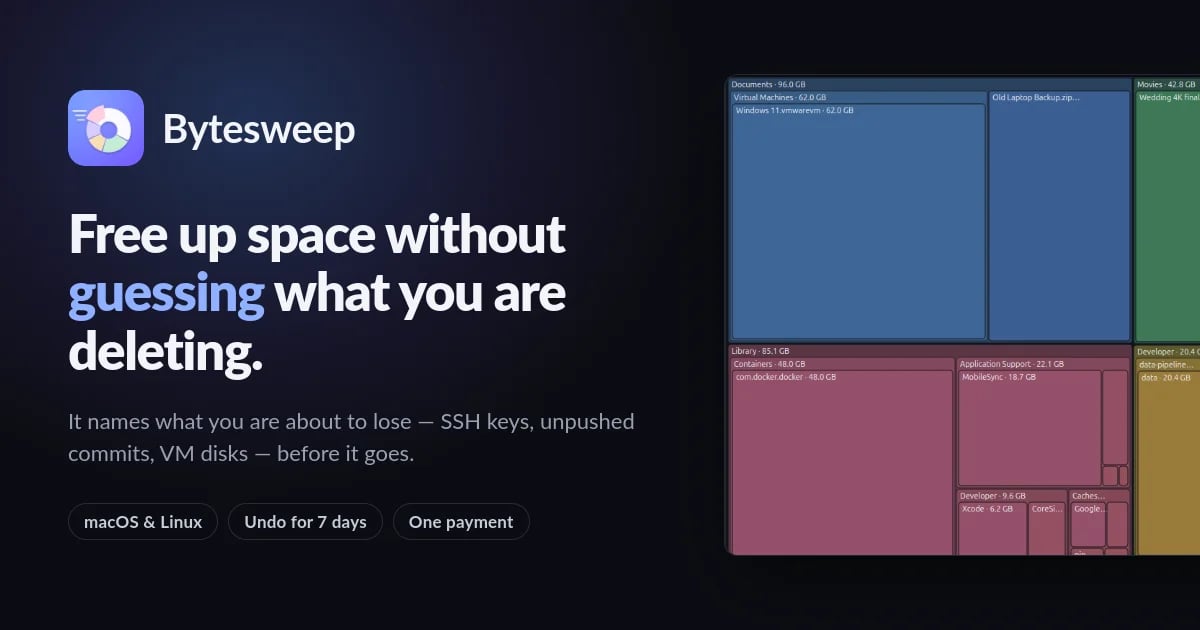
Bytesweep is a graphical macOS and Linux disk cleaner that visualizes storage in eight views, safely sweeps developer and AI caches, and undoes any cleanup within 7 days.
Reviewed and updated on
What Is Bytesweep?
Bytesweep is a cross-platform graphical disk usage analyzer and cleaner for macOS and Linux that visualizes storage in eight views and safely sweeps caches, logs, and developer junk while protecting irreplaceable files.
Target Audience of Bytesweep
How To Use Bytesweep?
Download and install Bytesweep for macOS or Linux, launch the app, pick a volume or folder to scan, explore storage through eight visualizations, and use Safe Sweep to clear junk with one click. Every sweep creates a restore point that can be undone within 7 days. Activate with a license key to unlock Pro features.
Core Features of Bytesweep
- Eight storage visualizations including Treemap, Sunburst, Flame, Bubbles, Mind Map, and Age Map
- Safe Sweep one-click cleanup of caches, logs, build outputs, and dependency folders
- 7-day undoable restore points on the same disk
- Recognition and protection of SSH keys, GPG keys, certificates, wallets, git history, VM disks, and open databases
- Developer-focused cleanup for Xcode DerivedData, iOS simulators, Docker.raw, node_modules, Homebrew, pip, npm, cargo, and go-build
- AI model detection for Ollama, LM Studio, Hugging Face, torch, GPT4All, Whisper, Cursor, Claude, Copilot caches
- Three-tier risk classification: Refused, Irreplaceable, Yours, and Rebuilt automatically
- Full uninstaller for apps with support files, caches, and launch agents
- Byte-for-byte duplicates and perceptual near-duplicate photo detection
- Cross-machine summaries synced through any shared folder
- Weekly background scan reports in PDF and HTML
- Live monitor for CPU, memory, network, volumes, and SMART disk health
- Fully offline operation with no telemetry or analytics
Use Cases of Bytesweep
- Freeing disk space by clearing Xcode DerivedData and iOS simulator caches
- Reclaiming space consumed by Docker.raw and unused container images
- Identifying and reviewing large local AI model files from Ollama or LM Studio
- Cleaning package manager caches (apt, dnf, Homebrew, npm, pip, cargo)
- Thinning Time Machine local snapshots and purgeable system data
- Finding duplicate files and similar photos across a home folder
- Auditing old node_modules, .venv, and build folders in development projects
- Monitoring disk usage trends across multiple machines via weekly reports
FAQ from Bytesweep
Pricing of Bytesweep
Bytesweep is Paid service
Bytesweep Pro
$5 one-time
Unlimited sweeping, Safe Sweep, Undo & Restore, permanent delete, full uninstaller, Similar Photos, Projects, Cloud Files, System Tools, scheduled Reports, PDF export, and cross-machine sync on 3 computers in any mix of macOS and Linux, including all 1.x updates free.
Free 14-day Trial
Free
All eight views, the inspector, cleanup categories, duplicates, file types, empty folders, the live monitor, snapshots, and 10 manual sweeps a day. No card, no account required.
Contact & Company Information of Bytesweep
Bytesweep Company Name: Bytesweep
Bytesweep Support Email:support@bytesweep.app
BytesweepCustomer Service Contact
Information
 Goal GPT
Categories
 Screentell