
Ddict Review
Ddict: AI-powered browser extension for instant translation, text summarization, and grammar checking. Supports Chrome & Firefox.
Reviewed and updated on
What Is Ddict?
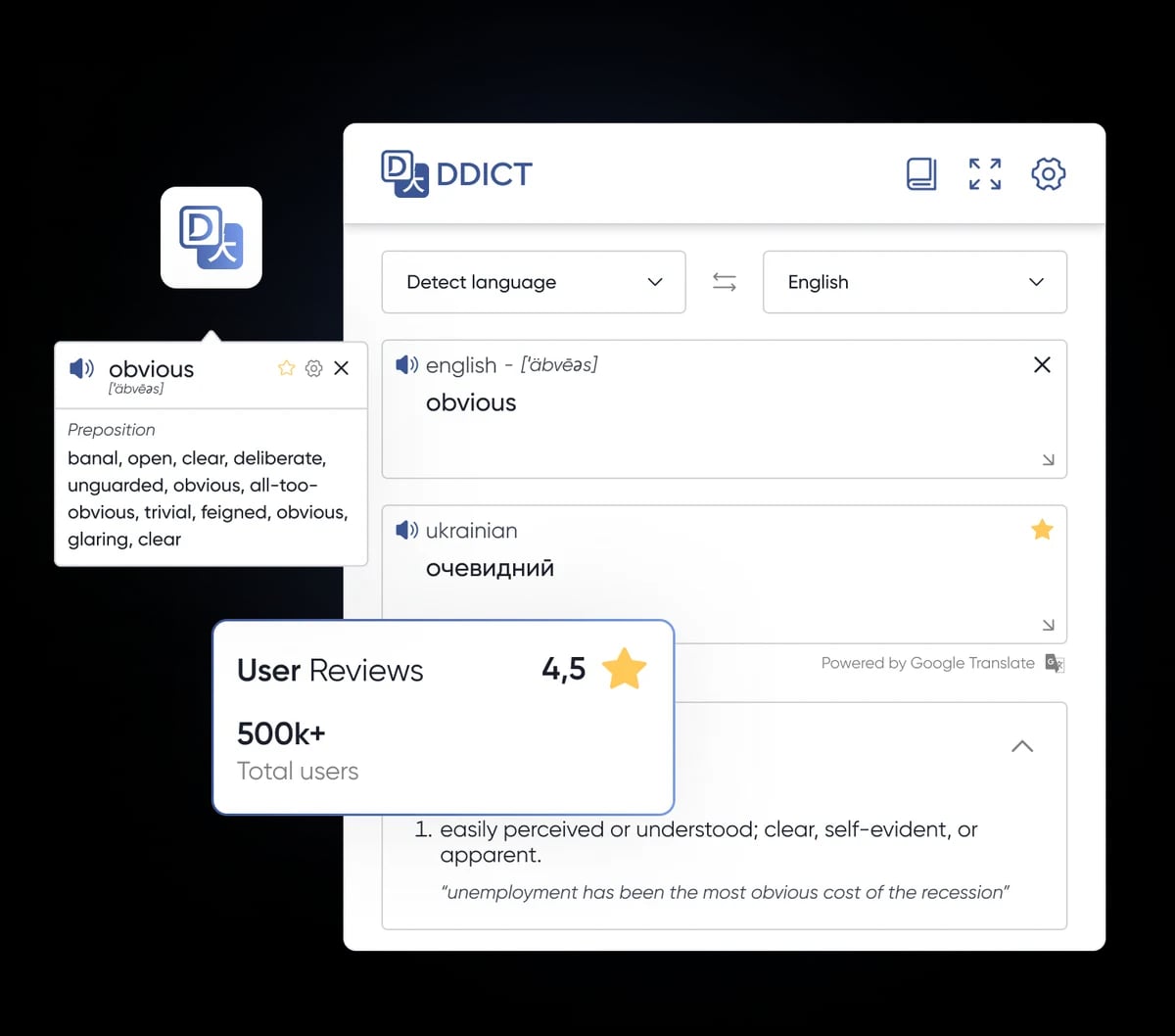
Ddict is a browser extension and AI-powered tool for effortless translation, text summarization, and writing improvement, designed to break language barriers.
Target Audience of Ddict
language learnersstudentsprofessionalsresearchersglobal web users
How To Use Ddict?
Install Ddict from your browser's app store (e.g., Chrome, Firefox, Edge). Select text on any website, click the Ddict icon, and access translations, dictionary results, pronunciation, text-to-speech, or save text for later.
Core Features of Ddict
- Instant text translation on any website
- AI-powered contextual translations using Large Language Models
- Text summarization for quick content overviews
- Writing improvement for polished communication
- Grammar and spelling checks to eliminate errors
- Text-to-speech and pronunciation features
- Support for multiple browsers including Chrome, Edge, Firefox, and Opera
Use Cases of Ddict
- Translating web content for multilingual users
- Summarizing lengthy articles or documents for quick understanding
- Improving writing for emails and professional communication
- Learning new languages with pronunciation and dictionary tools
- Editing documents with grammar and spelling corrections
FAQ from Ddict
Contact & Company Information of Ddict
Ddict Company Name: Ddo
Information
Publisher: Shawn Hacks
Shawn HacksWebsite:ddict.me
Tags
 Screentell
A Screen Recorder, Helps to create studio-quality product demos and tutorials in minutes - vibrant, expressive, attention-grabbing