
ihateimg Review
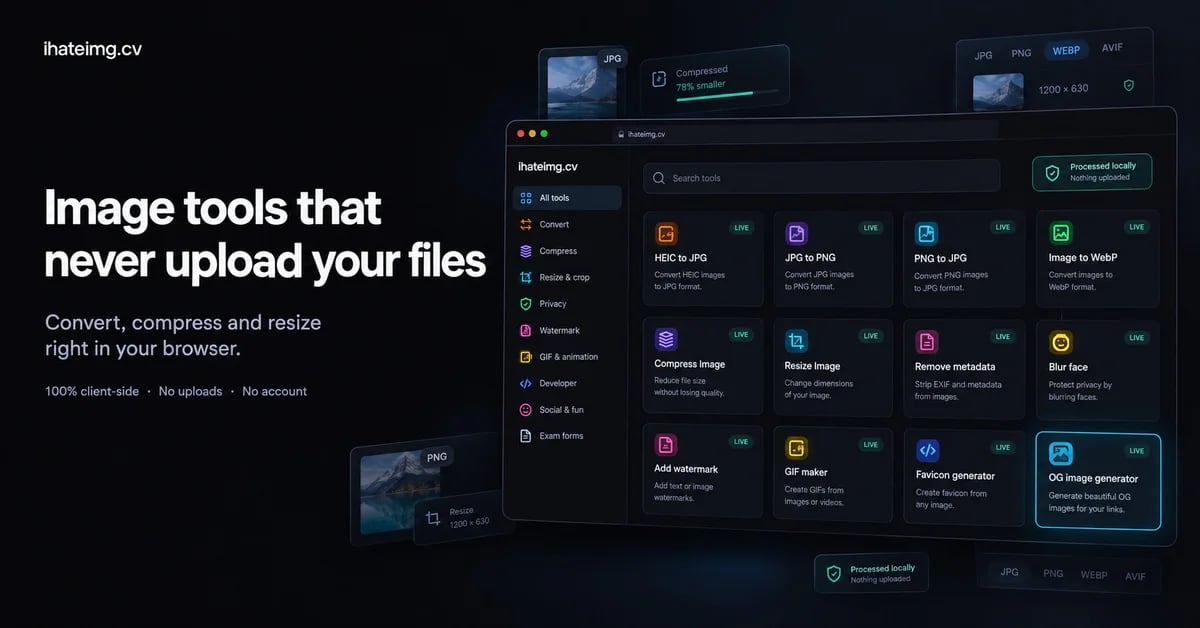
ihateimg.cv is a free browser-based image toolkit with 58 tools for converting, compressing, and editing photos without uploading any file. No sign-up, no watermark, no limits.
Reviewed and updated on
What Is ihateimg?
ihateimg.cv is a free, browser-based suite of 58 image tools that converts, compresses, resizes, and edits photos entirely on the user's device without uploading any files to a server.
Target Audience of ihateimg
How To Use ihateimg?
Open any tool page directly in a modern browser (Chrome, Firefox, Safari, or Edge) on desktop or mobile, drop or select your images, adjust the available settings, and download the processed result. No account, sign-up, or internet connection (after first page load) is required.
Core Features of ihateimg
- Convert between HEIC, JPG, PNG, WebP, AVIF, BMP, TIFF, PDF, and Base64 in batch
- Compress JPG, PNG, WebP, and GIF with live preview and exact KB targeting
- Resize, crop, rotate, flip, and add borders with social-media presets
- Circular crop, photo collage, and exact pixel or percentage scaling
- EXIF viewer, metadata stripper, GPS extractor, face blur, and image redaction
- Single and bulk watermark tools with text or logo placement
- GIF maker, video-to-GIF, GIF-to-frames, GIF compress, resize, and GIF-to-MP4
- Favicon, app icon, OG image, sprite sheet, Blurhash, and SVG optimiser generators
- Colour palette extractor and pixel colour picker
- Meme generator, screenshot beautifier, photo filters, and passport photo maker
- Indian exam-form photo and signature resizers and joiners
Use Cases of ihateimg
- Converting iPhone HEIC photos into JPG or PNG for sharing
- Compressing images to meet exact file-size limits for exams or uploads
- Resizing and cropping images for Instagram, YouTube, X, and LinkedIn
- Stripping EXIF, GPS, and camera metadata before posting photos
- Blurring faces or redacting sensitive regions in screenshots
- Adding text or logo watermarks across batches of images
- Building GIFs from image sequences or video clips
- Generating favicons, app icons, and OG preview cards for websites
- Creating memes, captioned screenshots, and photo collages
- Preparing compliant photos and signatures for Indian exam portals
FAQ from ihateimg
Pricing of ihateimg
ihateimg is Free to use
Free
Free
All 58 tools, unlimited use, no sign-up, no watermark, no file-size limit
Contact & Company Information of ihateimg
ihateimg Company Name: ihateimg.cv
Social Media
ihateimg Twitter Link:https://x.com/amitkushh
Information
 Amit Kushwaha
Categories
 Screentell