
Jam Review
Jam simplifies bug reporting with automated logs, replays, and step-by-step instructions. Integrates with Slack and Jira for faster debugging.
Reviewed and updated on
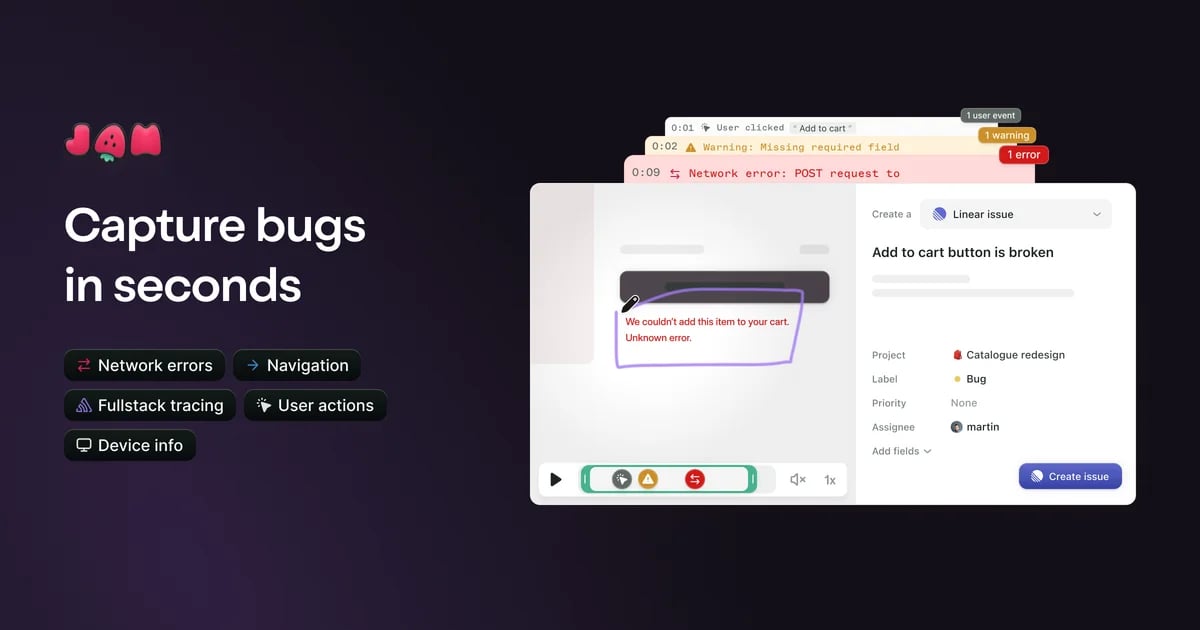
What Is Jam?
Jam is a bug reporting tool that simplifies the process of capturing and sharing detailed bug reports with developers, featuring automatic logs and instant replay.
Target Audience of Jam
developersQA engineersproduct managerssoftware teamssmall business ownersenterprise IT teams
How To Use Jam?
Install the Jam browser extension, capture bugs by taking a screenshot or recording, annotate or edit as needed, and share the detailed report link with your team via integrated tools like Slack or Jira.
Core Features of Jam
- Automatic capture of device, browser, console, and network logs
- Instant replay to record recent actions
- Easy screenshot and markup tools for annotations
- Integration with tools like Jira, Slack, GitHub, and more
- AI-powered debugging assistance
- Automatic reproduction steps generation
- Backend tracing for comprehensive bug analysis
Use Cases of Jam
- Streamlining bug reporting for QA teams
- Enhancing communication between developers and non-technical staff
- Reducing time spent on bug reproduction for engineering teams
- Improving workflow in software development projects
- Simplifying error tracking in web and app development
FAQ from Jam
Contact & Company Information of Jam
Jam Company Name: Jam
Social Media
Jam Twitter Link:https://twitter.com/jamdotdev
Information
Publisher: Shawn Hacks
Shawn HacksWebsite:jam.dev
Categories
Tags
 Screentell
A Screen Recorder, Helps to create studio-quality product demos and tutorials in minutes - vibrant, expressive, attention-grabbing