
Kane CLI by TestMu AI Review
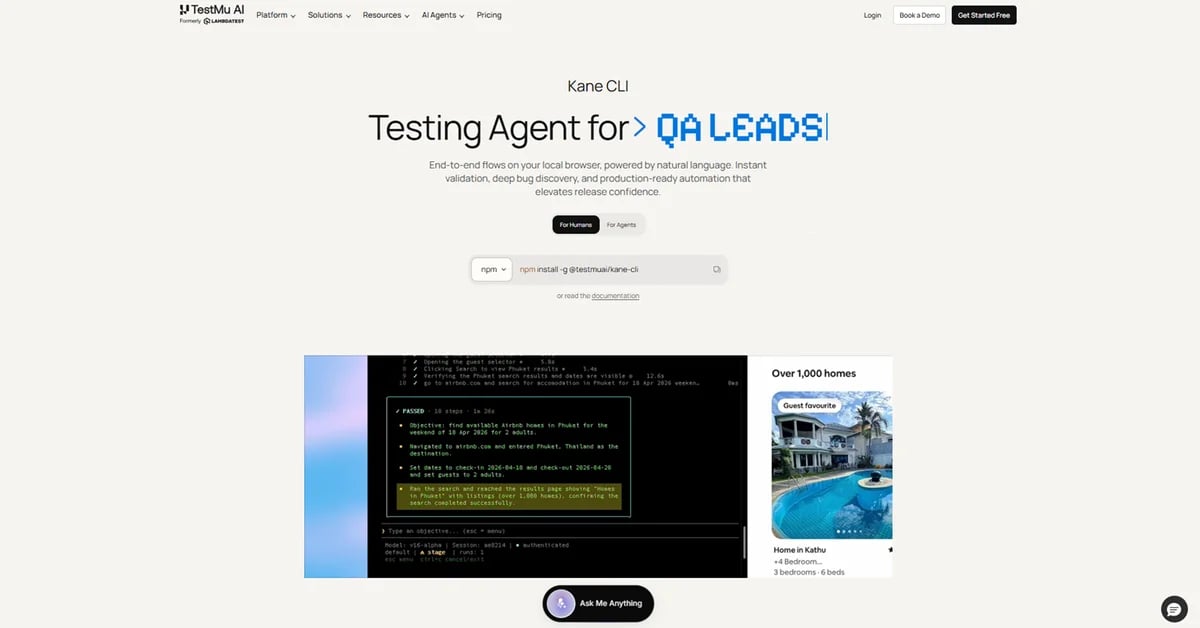
Kane CLI is a deterministic browser agent from TestMu AI (formerly LambdaTest). You describe the outcome in natural language and it runs a real Chrome browser to verify what actually renders on screen, not what the source code declares. No selectors, no XPath, no framework boilerplate. It runs from your terminal, inside AI coding agents, and headless in CI/CD.
Reviewed and updated on
What Is Kane CLI by TestMu AI?
Kane CLI is an AI-powered command-line interface for browser automation that lets users describe end-to-end test flows in natural language and executes them on a real Chrome browser directly from the terminal.
Target Audience of Kane CLI by TestMu AI
How To Use Kane CLI by TestMu AI?
Install the Kane CLI tool, then describe a test scenario in natural language at the terminal prompt. The tool launches a real Chrome browser, executes the described end-to-end flow, and returns a pass or fail result.
Core Features of Kane CLI by TestMu AI
- Natural language objectives: actions, assertions and extractions
- Vision-based waiting instead of arbitrary sleeps
- Autoheal re-resolves targets when the UI shifts, with no code changes
- Resilient runs up to 50 steps per flow, configurable with --max-steps
- Bifurcation branches one objective into parallel sub-flows
- Imports Playwright and Selenium scripts, exports runs to native Python Playwright
- 7-day public ShareLink with screenshots and full step trace for every run
- Standard POSIX exit codes for GitHub Actions, GitLab CI, Jenkins and Bitbucket
Use Cases of Kane CLI by TestMu AI
- Verifying what an AI coding agent just shipped, in a real browser
- Running browser checks in CI/CD on every PR, headless with standard exit codes
- End-to-end flow automation for web applications
- Regression testing from the terminal without writing selectors
- Migrating an existing Playwright or Selenium suite to natural language
- Testing flows that break selector-based tests: A/B tested pages, layout changes, conditional approval workflows
- Sharing pass or fail evidence in a PR, Slack thread or Jira ticket via a 7-day ShareLink
- Surfacing unexpected bugs on happy-path runs: console errors, failed network requests, visual anomalies and slow loads
- Local page testing during development
FAQ from Kane CLI by TestMu AI
Pricing of Kane CLI by TestMu AI
Kane CLI by TestMu AI is Free to use
Free Trial
Free (limited duration)
Kane CLI is freemium. The CLI is free to install and use, and local runs are free. Only cloud runs on the TestMu AI grid are billed against a TestMu AI plan. 10,000 Kane CLI credits free for one month as a promotional offer
Contact & Company Information of Kane CLI by TestMu AI
Kane CLI by TestMu AI Company Name: TestMu AI
Kane CLI by TestMu AI Support Email:support@testmuai.com
Kane CLI by TestMu AICustomer Service Contact
Kane CLI by TestMu AI Login
Kane CLI by TestMu AI Login Link:https://www.testmuai.com/login/
Kane CLI by TestMu AI Sign Up
Kane CLI by TestMu AI Sign Up Link:https://www.testmuai.com/register/
Social Media
Kane CLI by TestMu AI GitHub Link:https://github.com/LambdaTest
Kane CLI by TestMu AI LinkedIn Link:https://www.linkedin.com/company/testmu-ai/
Kane CLI by TestMu AI Twitter Link:https://x.com/testmuai
Kane CLI by TestMu AI YouTube Link:https://www.youtube.com/@TestMuAI
Information
 Rahul Jain
Categories
Tags
 Screentell