
Komandi Review
Komandi: AI-powered terminal commands manager for developers. Generate commands from natural language, cross-platform, and lifetime license.
Reviewed and updated on
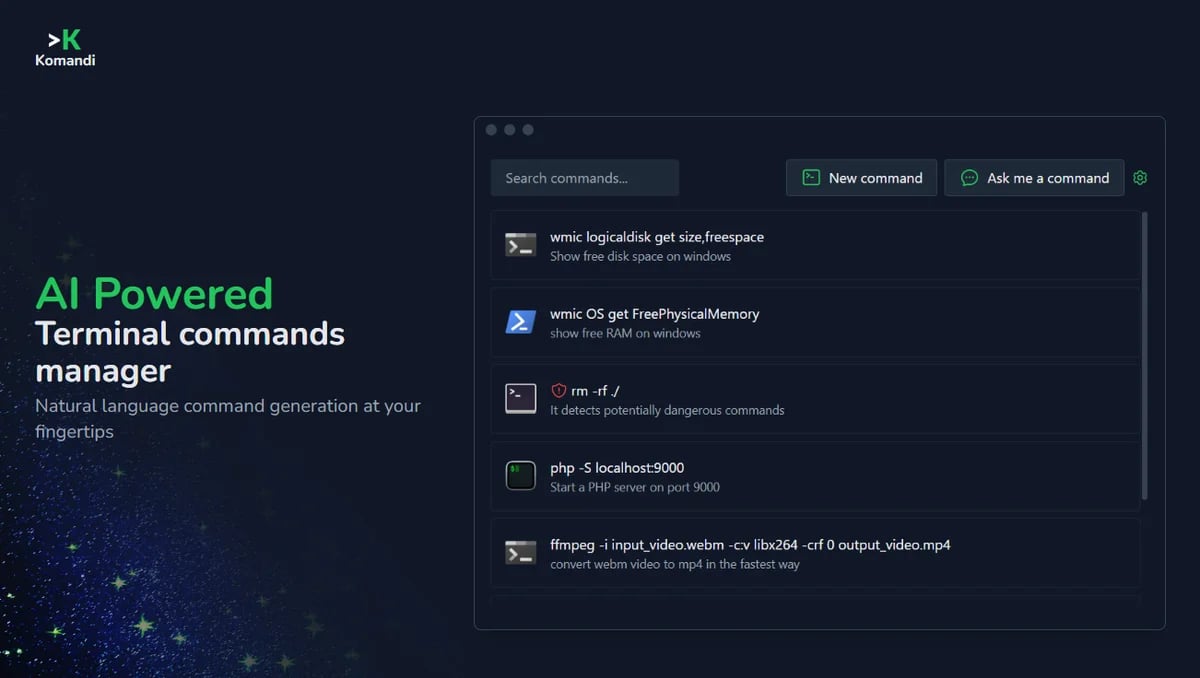
What Is Komandi?
Komandi is an AI-powered terminal commands manager for developers and system administrators, designed to generate, manage, and execute CLI commands efficiently.
Target Audience of Komandi
How To Use Komandi?
Download Komandi from the official website, install it on your device (macOS, Windows, or Linux), and start managing your CLI commands. Use natural language prompts to generate commands with AI, favorite frequently used commands, copy or execute them directly, and utilize safety features to detect dangerous commands.
Core Features of Komandi
- Generate terminal commands from natural language prompts using AI
- Manage, favorite, copy, and execute CLI commands
- Detect and mark potentially dangerous commands for safety
- Cross-platform support for macOS, Windows, and Linux
- Execute commands in various environments (Windows Terminal, PowerShell, iTerm2, Gnome Terminal, etc.)
- Search functionality with shortcuts for quick command access
- Upcoming import/export feature for commands
Use Cases of Komandi
- Managing frequently used CLI commands for developers
- Generating complex terminal commands via natural language for system administrators
- Ensuring safety by detecting potentially harmful commands
- Streamlining workflows across multiple operating systems and environments
FAQ from Komandi
Pricing of Komandi
Komandi is Paid service
Lifetime License
$19
One-time purchase for lifetime access on 1 device, including 10,000 AI tokens for command generation.
Contact & Company Information of Komandi
Komandi Company Name: Komandi
Komandi Support Email:contato@kingofcode.com.br
Information
 Shawn Hacks
Tags
 Screentell