
Markdown Converter Pro Review
Free online Markdown converter. Instantly convert Markdown to PDF/Docx/HTML, or convert PDF/HTML/Docx to Markdown. Secure, fast, and easy.
Reviewed and updated on
What Is Markdown Converter Pro?
The ultimate online tool for converting Markdown to PDF, DOCX, HTML, and vice versa, offering fast, accurate, and secure document conversion.
Target Audience of Markdown Converter Pro
How To Use Markdown Converter Pro?
Upload or paste Markdown text, select the desired output format (PDF, DOCX, HTML), convert, and download your transformed document. Supports batch processing for multiple files.
Core Features of Markdown Converter Pro
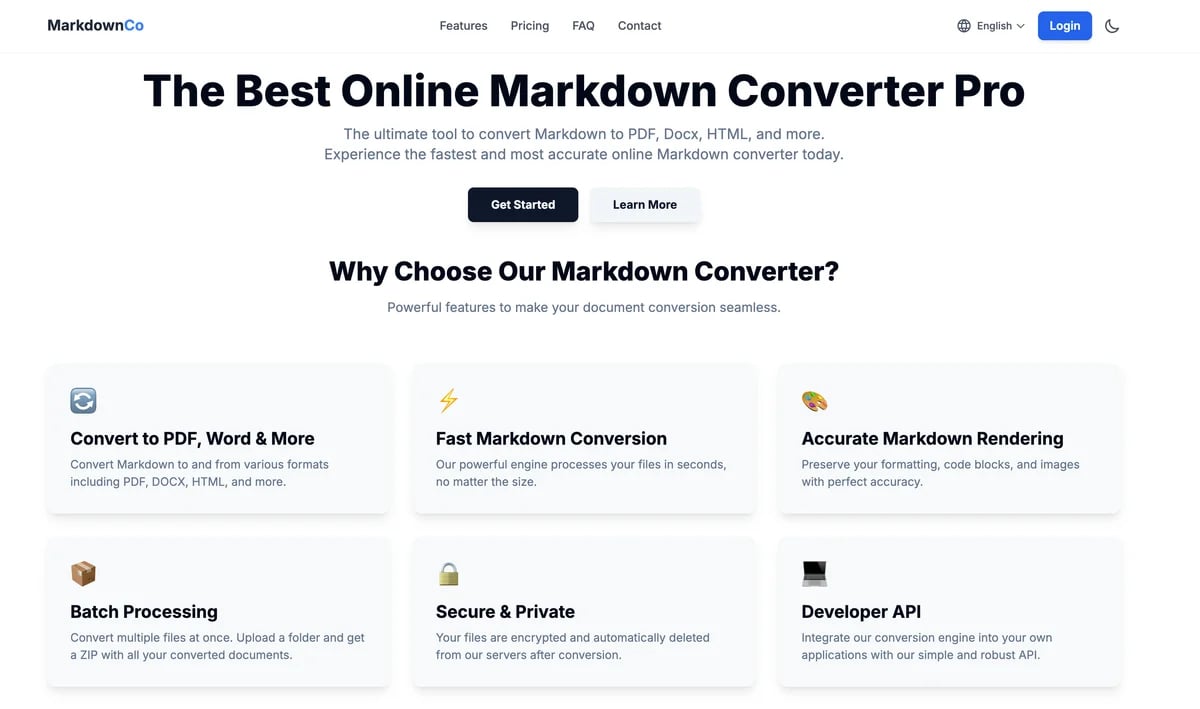
- Convert to PDF, Word & More: Supports conversion between Markdown, PDF, DOCX, and HTML.
- Fast Markdown Conversion: Utilizes a powerful engine for quick file processing.
- Accurate Markdown Rendering: Preserves formatting, code blocks, and images precisely.
- Batch Processing: Allows conversion of multiple files or folders simultaneously.
- Secure & Private: Encrypts files and automatically deletes them post-conversion.
- Developer API: Provides a simple and robust API for integration into applications.
Use Cases of Markdown Converter Pro
- Creating professional PDF documents from Markdown.
- Generating semantic HTML for websites and blogs from Markdown.
- Converting Microsoft Word documents to lightweight Markdown.
- Extracting text and structure from PDFs into editable Markdown files.
- Turning web pages or HTML files into clean, readable Markdown.
- Editing and exporting Markdown content directly within the tool.
FAQ from Markdown Converter Pro
Pricing of Markdown Converter Pro
Markdown Converter Pro is Free to use
Free
$0
Basic conversion for occasional use. Try out core features for free.
Pro Monthly
$6.9/ month
Unlock full conversion power with higher limits and all premium features.
Pro Lifetime
$49 one-time
Pay once, use forever. Full access to all current and future premium features.
Contact & Company Information of Markdown Converter Pro
Markdown Converter Pro Company Name: MarkdownConverter.pro
Markdown Converter Pro Support Email:support@markdownconverter.pro
Markdown Converter Pro Login
Markdown Converter Pro Login Link:https://markdownconverter.pro/login
Information
 代鹏
代鹏 Screentell