
OpenCat Review
OpenCat: Native AI chat client for macOS and iOS. Features voice chat, image generation, Siri integration, and diverse AI model support.
Reviewed and updated on
What Is OpenCat?
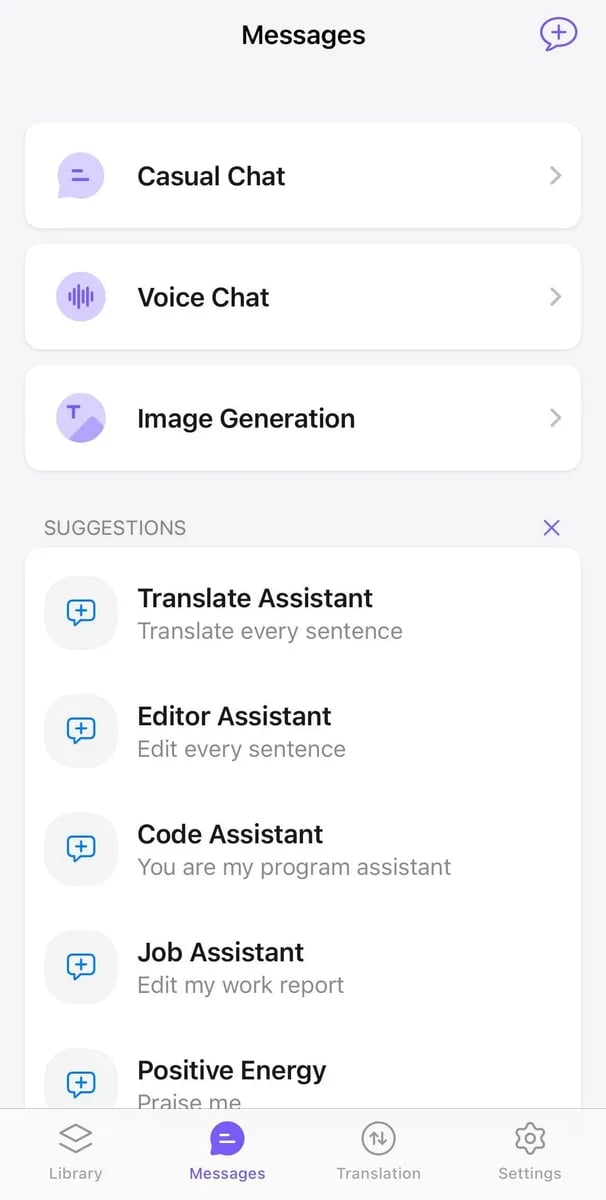
OpenCat is a native AI chat client for macOS and iOS, providing a fast and seamless chat experience with advanced AI models, voice interaction, and image generation capabilities.
Target Audience of OpenCat
How To Use OpenCat?
Download OpenCat from the App Store for iOS or the official website for macOS. Install the app, sign up or log in, and start chatting with AI using text, voice, or images. Explore features like Siri integration and keyboard input for enhanced productivity across apps.
Core Features of OpenCat
- Voice Chat for hands-free AI interaction
- Text to Image generation for creating visuals from prompts
- Image Chat to engage using images and emojis
- Translation to break language barriers
- Siri Integration for quick access via shortcuts
- Keyboard Input to use AI in all apps
- Multiple AI Models for diverse chat experiences
- Markdown Rendering for formatted conversations
- Prompt Library to assist with chat starters
- iCloud Sync for seamless multi-device use
Use Cases of OpenCat
- Personal AI assistant for daily tasks and queries
- Business communication and productivity enhancement
- Creative content generation with text-to-image tools
- Language translation for global interaction
- Hands-free operation using voice chat and Siri
- Team collaboration with shared chat experiences
FAQ from OpenCat
Pricing of OpenCat
OpenCat is Paid service
OpenCat Free
Free
Basic AI chat features for new users to get started.
OpenCat Pro
$9.99 (one-time purchase)
Unlock advanced features like keyboard extension and Siri integration.
Cloud AI
$2.99/month (3-day free trial, then $19.99 annually with 44% savings)
All-in-one AI suite with GPT access, voice chat, and text-to-image.
Contact & Company Information of OpenCat
OpenCat Company Name: Baye
OpenCat Support Email:friends@baye.dev
Information
 Shawn Hacks
Categories
Tags
 Screentell