
Photo to Text Review
Free online OCR converter that turns photos, screenshots, and PDFs into editable text for Word, Excel, or notes in seconds.
Reviewed and updated on
What Is Photo to Text?
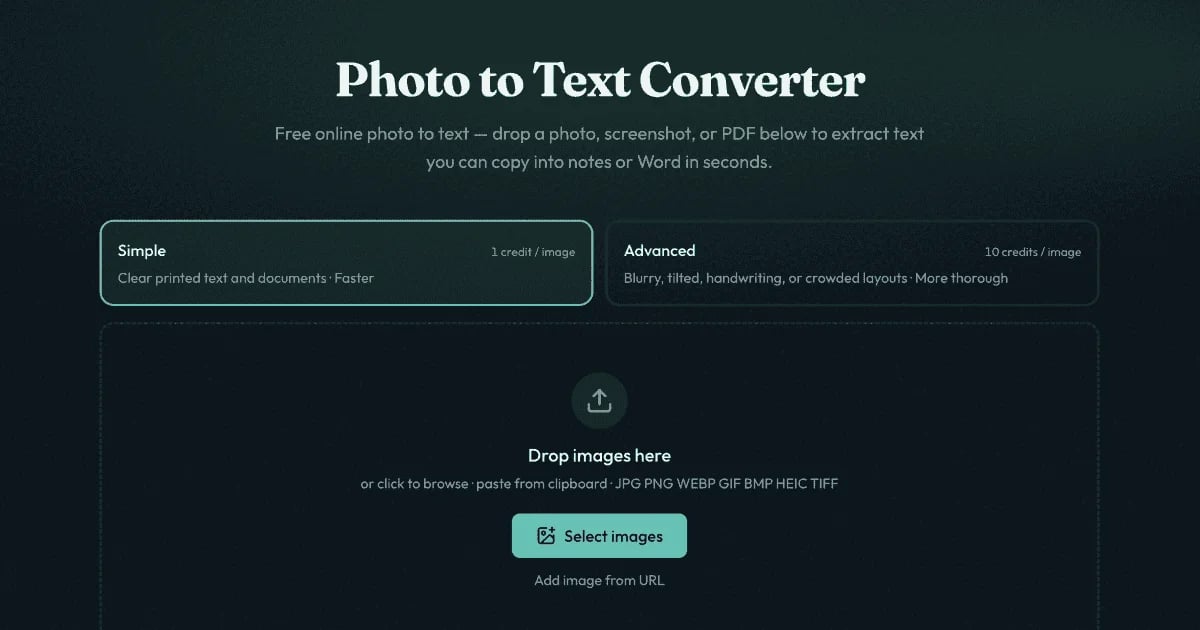
Photo to Text is a free online OCR converter that extracts editable text from images, screenshots, and PDF files, letting users copy results into Word, Excel, or notes.
Target Audience of Photo to Text
How To Use Photo to Text?
1. Drop a JPG, PNG, PDF, or other supported file into the converter, or paste from clipboard. 2. Choose Simple mode for clear shots or Advanced mode for tricky layouts, handwriting, or tables. 3. Run the OCR, then copy the extracted text or export to DOCX, Markdown, TXT, XLSX, CSV, or TSV.
Core Features of Photo to Text
- Online OCR for JPG, PNG, PDF, WEBP, HEIC, TIFF, GIF, BMP image formats
- Two OCR modes: Simple (1 credit/page) and Advanced (10 credits/page) for harder shots
- Export extracted text to DOCX, Markdown, or TXT
- Dedicated JPG to Word and JPG to Excel converters with formatting preservation
- Table and grid extraction for receipts, invoices, and screenshots
- Layout-aware OCR models via DeepSeek OCR and GLM OCR
- Privacy-first processing with no storage of guest conversions
- No sign-up required to start converting
Use Cases of Photo to Text
- Extracting text from phone photos of printed documents and notes
- Converting screenshots into selectable, editable text
- Pulling tables from receipts, invoices, and bank statements into Excel
- Turning scanned PDFs and worksheets into editable Word files
- Digitizing handwritten notes and forms
- Copying locked text from images where selection is disabled
- Bulk OCR for office and academic workflows
FAQ from Photo to Text
Pricing of Photo to Text
Photo to Text is Paid service
Simple
1 credit / page
Fast OCR for clear printed text, screenshots, and standard documents.
Advanced
10 credits / page
Higher-accuracy OCR for blurry photos, tilted pages, handwriting, crowded layouts, and table images.
Contact & Company Information of Photo to Text
Photo to Text Company Name: Photo to Text
Photo to Text Support Email:support@photototext.ai
Photo to Text Login
Photo to Text Login Link:https://photototext.ai/
Photo to Text Sign Up
Photo to Text Sign Up Link:https://photototext.ai/
Information
 Jason Chuh
Categories
 Screentell