
Pictura Review
Pictura: MacOS AI tool enhances photos & anime, upscaling visuals to 4x with local, private processing. Drag-and-drop simplicity for instant results.
Reviewed and updated on
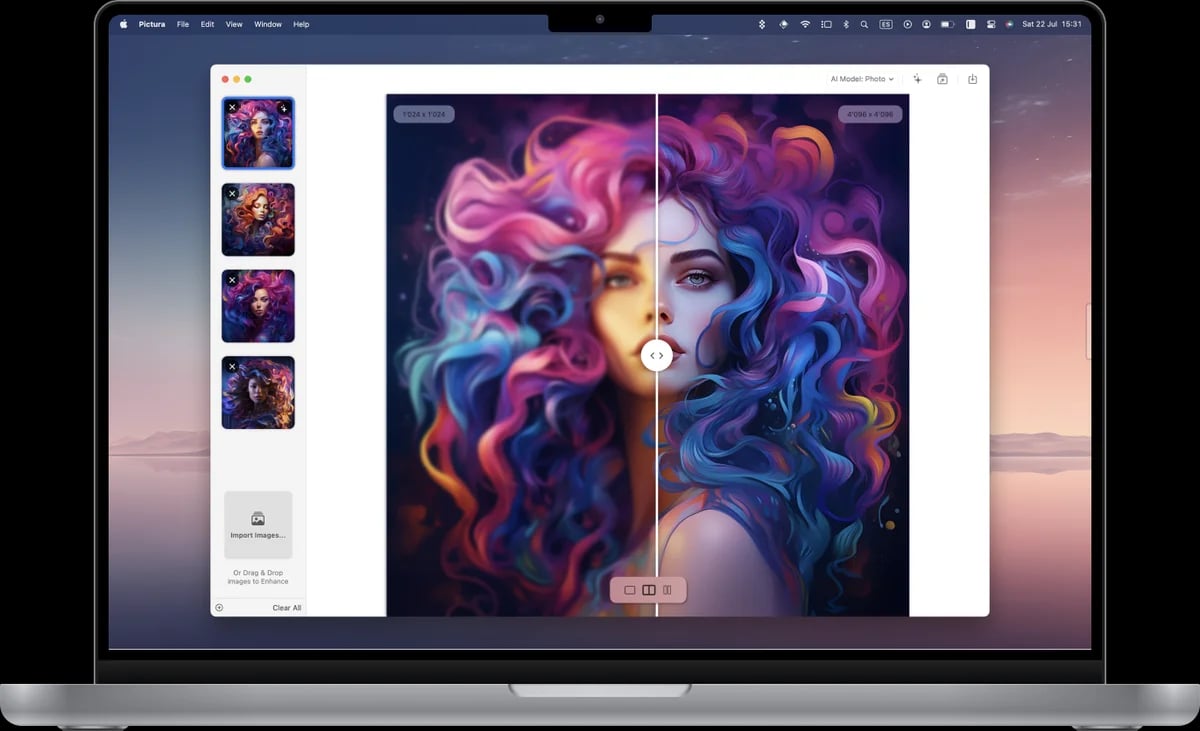
What Is Pictura?
Pictura is a MacOS-native AI photo enhancement tool that upscales low-resolution images to 4x clarity, supports both photos and anime with dual AI models, and ensures privacy with local processing.
Target Audience of Pictura
How To Use Pictura?
1. Download Pictura from the Mac App Store. 2. Drag and drop your images into the app. 3. Select the appropriate AI model (photo or anime) to enhance. 4. Save the high-resolution result with a single click.
Core Features of Pictura
- Upscales images to 4x resolution with AI technology
- Dual AI models for photos and anime enhancement
- Local processing for enhanced privacy and photo encryption
- Drag-and-drop functionality for easy image uploads
- Optimized for Apple Silicon and Mac's Neural Engine
- Instant enhancement with no loading time
- One-click saving of enhanced images
Use Cases of Pictura
- Reviving old, low-resolution photos with stunning detail
- Enhancing anime artwork for high-quality visuals
- Improving content quality for professional portfolios
- Upscaling images for personal or creative projects
- Ensuring privacy with local image processing on Mac
FAQ from Pictura
Pricing of Pictura
Pictura is Paid service
Lifetime Purchase
Discounted (varies by region)
One-time payment for permanent access to Pictura with all features included.
Contact & Company Information of Pictura
Pictura Company Name: Jonathan Benavides Vallejo / Alba Macareno Alonso
Pictura Company Address: Switzerland
MoreAbout Jonathan Benavides Vallejo / Alba Macareno Alonso Company
PicturaCustomer Service Contact
Information
 Shawn Hacks
Categories
Tags
 Screentell