
RemoveMate Review
Remove photo backgrounds with AI, preview the cutout, and download it.
Reviewed and updated on
What Is RemoveMate?
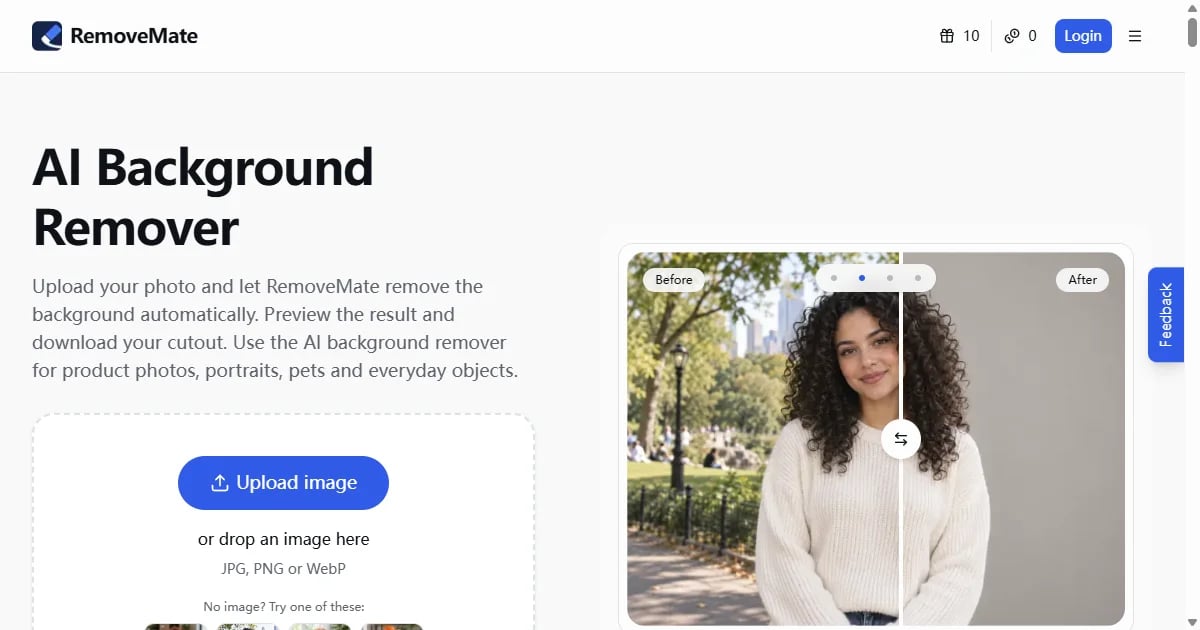
RemoveMate is an AI-powered online tool that automatically removes backgrounds from photos. Upload product, portrait, pet, or object images to get clean cutouts without writing prompts, then preview and download the results.
Target Audience of RemoveMate
How To Use RemoveMate?
1. Upload a clear photo (JPG, PNG, or WebP) of the subject you want to keep. 2. RemoveMate's AI automatically identifies the subject and removes the background with no prompt needed. 3. Preview the cutout, check edges and details, then download the result.
Core Features of RemoveMate
- Automatic AI background removal with no prompts required
- Supports product photos, portraits, pets, and everyday objects
- Real-time preview before download
- Accepts JPG, PNG, and WebP formats
- Handles fine details like hair, fur, straps, and narrow gaps
- Free to try with instant processing
Use Cases of RemoveMate
- Creating clean product photos for e-commerce listings and catalogs
- Preparing professional portraits for profile pictures or team pages
- Isolating pets from busy backgrounds for cards or collages
- Showcasing handmade objects or artwork on clean backgrounds
- Quick background removal for social media content and marketing materials
FAQ from RemoveMate
Pricing of RemoveMate
RemoveMate is Free to use
Free
Free
Basic background removal with standard resolution downloads
Pro
Starting at $9.99/month
High-resolution downloads, batch processing, and priority processing
Contact & Company Information of RemoveMate
RemoveMate Company Name: RemoveMate
RemoveMate Login
RemoveMate Login Link:https://removemate.com/login
RemoveMate Sign Up
RemoveMate Sign Up Link:https://removemate.com/signup
Information
 Sawana Huang
Categories
 Screentell