
Sketch To Image Review
Sketch To Image AI transforms your sketches into stunning digital art. Generate hyper-realistic, anime, or video content with ease.
Reviewed and updated on
What Is Sketch To Image?
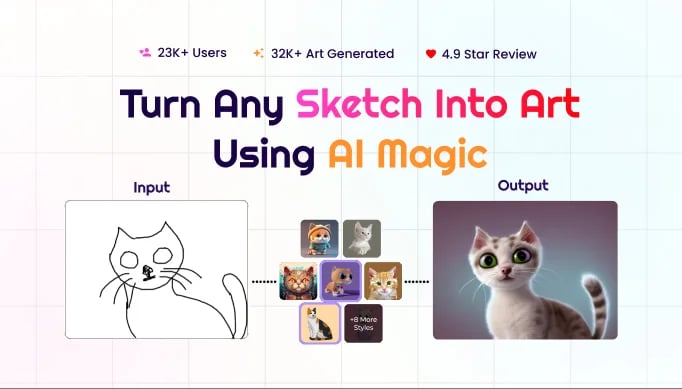
Sketch To Image is an AI-powered tool that transforms sketches into stunning digital art, offering various styles like hyper-realistic, anime, and Studio Ghibli.
Target Audience of Sketch To Image
How To Use Sketch To Image?
Transform your sketch into art in 4 steps: 1. Paint on the app canvas or upload your sketch. 2. Add a descriptive prompt. 3. Select a style from options like hyper-realistic or anime. 4. Click generate to create and download your artwork, with options to upscale or convert to video.
Core Features of Sketch To Image
- Transform sketches into digital art with AI
- Multiple style options including hyper-realistic, anime, and Studio Ghibli
- Upscale images up to 8x for enhanced clarity
- Generate videos from static images
- Support for both hand-drawn and digital sketches
- High-resolution download capability
- User-friendly canvas for direct sketching
Use Cases of Sketch To Image
- Creating digital art from hand-drawn sketches
- Designing illustrations for presentations and pitch decks
- Generating unique artwork for marketing and visual storytelling
- Producing anime or hyper-realistic portraits
- Enhancing personal or commercial art projects
- Converting sketches into videos for dynamic content
FAQ from Sketch To Image
Pricing of Sketch To Image
Sketch To Image is Paid service
Basic Plan
Affordable pricing, details on website
Entry-level access to transform sketches into art with limited styles and credits.
Pro Plan
Competitive pricing, details on website
Advanced features including more styles, upscaling, and video generation with additional credits.
Contact & Company Information of Sketch To Image
Sketch To Image Company Name: CONNEKT STUDIO
Sketch To Image Login
Sketch To Image Login Link:https://app.sketchtoimage.com/
Sketch To Image Sign Up
Sketch To Image Sign Up Link:https://app.sketchtoimage.com/
Information
 Shawn Hacks
Categories
Tags
 Screentell