
Google Lens Review
Google Lens: Unlock the world with your camera. Identify objects, translate text, shop, and solve problems instantly with visual search.
Reviewed and updated on
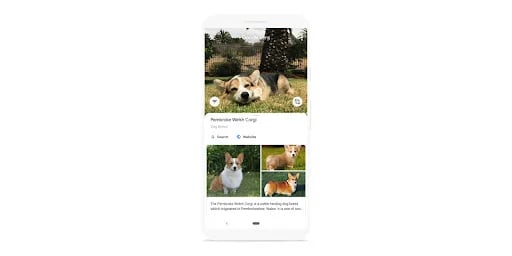
What Is Google Lens?
Google Lens is a visual search tool that uses your phone's camera to identify objects, translate text, and explore the world around you in real-time.
Target Audience of Google Lens
How To Use Google Lens?
Download the Google app or access Google Lens through Google Photos, Google Camera, or Chrome. Point your camera at an object, text, or image to search, translate, shop, or get information instantly. Look for the Lens icon in the search bar of the Google app.
Core Features of Google Lens
- Visual search to identify objects, plants, and animals using your camera
- Real-time text translation in over 100 languages
- Shopping assistance to find similar clothes, furniture, and decor
- Homework help with explanations and resources for math, science, and more
- Text copying from images for easy pasting on devices
- Integration across Google apps like Photos, Camera, and Chrome
- Available on multiple devices for seamless access
Use Cases of Google Lens
- Identifying unknown plants or animals while outdoors
- Translating foreign text on signs or documents in real-time
- Finding similar products or decor items for shopping
- Assisting students with homework in subjects like math and history
- Extracting text from images for quick notes or sharing
FAQ from Google Lens
Pricing of Google Lens
Google Lens is Free to use
Free Plan
Free
Full access to Google Lens features at no cost.
Contact & Company Information of Google Lens
Google Lens Company Name: Google
Google Lens Support Email:support@google.com
Google LensCustomer Service Contact
Social Media
Google Lens Twitter Link:https://twitter.com/Google
Information
 Shawn Hacks
Categories
Tags
 Screentell