
SoWork Review
SoWork: A virtual office platform enhancing remote team collaboration with fluid video, AI, and productivity tools.
Reviewed and updated on
What Is SoWork?
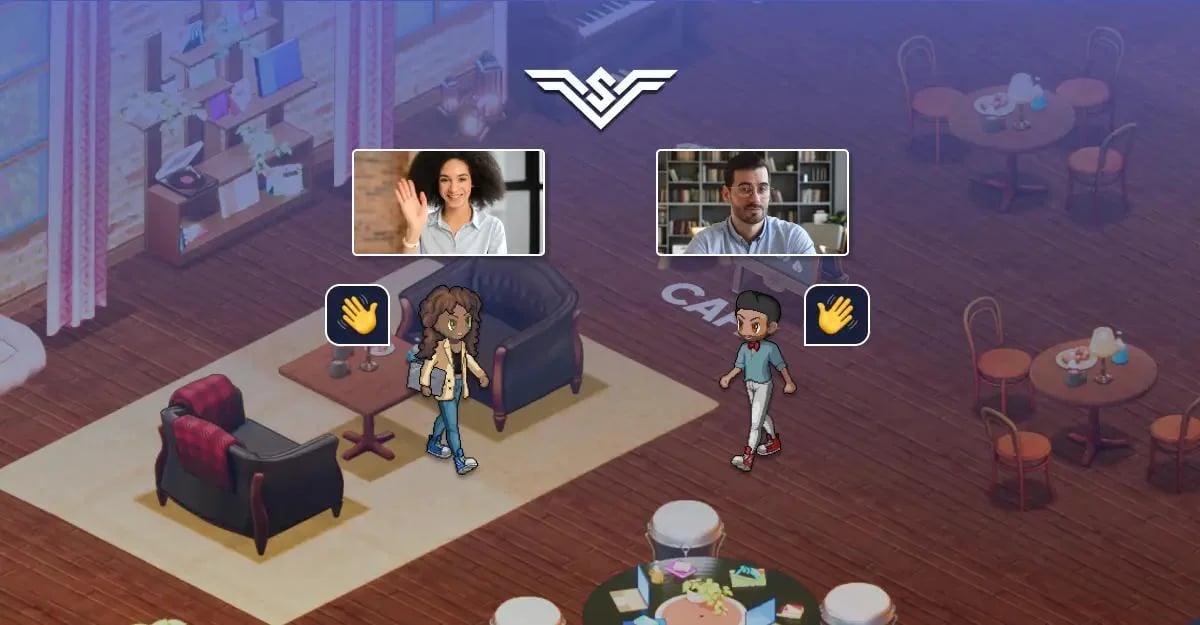
SoWork is a smart virtual office platform designed for remote teams, offering fluid video, chat, and AI-driven productivity tools to simulate a real office environment.
Target Audience of SoWork
How To Use SoWork?
To use SoWork, sign up and create a virtual office using the Mapmaker tool. Assign desks to team members, set team overlap hours for collaboration, communicate instantly via walk-up video chats, save meetings to a library, and leverage AI for notes and insights. Access it from anywhere with the mobile app.
Core Features of SoWork
- Customizable virtual office with Sims-like Mapmaker
- Instant walk-up video and chat for seamless communication
- AI-driven automation for meeting notes and action items
- Team engagement tools to boost culture and productivity
- Mobile app for remote access from anywhere
- Meeting library to store summaries and recordings
- Team analytics for workplace insights
Use Cases of SoWork
- Enhancing remote team collaboration and communication
- Reducing loneliness and improving team engagement
- Streamlining quick discussions without scheduling
- Building company culture in distributed teams
- Automating repetitive tasks with AI for efficiency
FAQ from SoWork
Pricing of SoWork
SoWork is Paid service
Basic Plan
Starting at $10/month per user
Essential features for small remote teams to collaborate in a virtual office.
Premium Plan
Starting at $20/month per user
Advanced features including team analytics and AI automation for larger teams.
Enterprise Plan
Contact for pricing
Custom solutions with full support and integrations for large organizations.
Contact & Company Information of SoWork
SoWork Company Name: SoWork
SoWorkCustomer Service Contact
SoWork Login
SoWork Login Link:https://app.sowork.com/movein
SoWork Sign Up
SoWork Sign Up Link:https://app.sowork.com/movein?gtag=homepageFooter
Information
 Shawn Hacks
Categories
Tags
 Screentell