
TrySchedule Review
TrySchedule is a free online schedule builder with a drag-and-drop editor, color-coded blocks, and instant PNG/JPG export—no signup required.
Reviewed and updated on
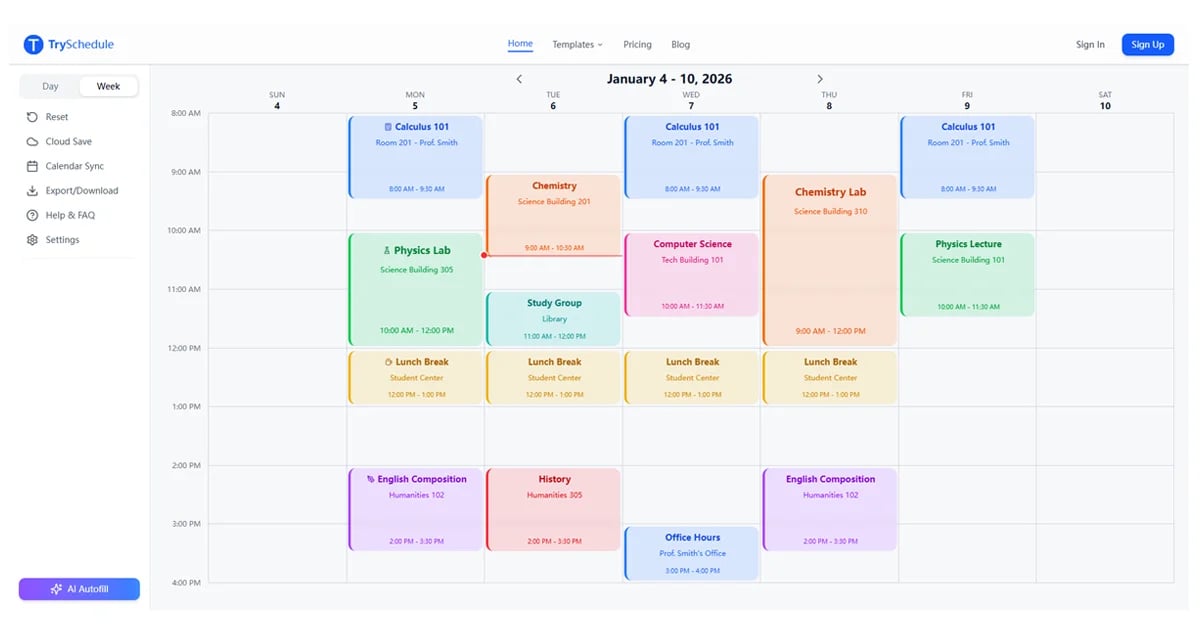
What Is TrySchedule?
TrySchedule is a free online schedule builder that lets users create professional weekly schedules through a drag-and-drop visual editor, with no signup required and instant image export.
Target Audience of TrySchedule
How To Use TrySchedule?
Click on the calendar grid to add time blocks for activities, customize each block with colors and labels, then export your finished schedule as a PNG or JPG image (free) or PDF (Pro).
Core Features of TrySchedule
- Drag-and-drop weekly calendar editor with day and week views
- Color-coded time blocks with custom labels
- Free PNG and JPG image export
- Pro PDF export for print-ready schedules
- Cloud save with up to 10 templates (free) and 50 templates (Pro)
- Ready-made templates for study, employee shifts, and AI scheduling
- No signup required for core features
- Local browser storage for privacy by default
Use Cases of TrySchedule
- Students planning class timetables and study sessions
- Shift managers building employee schedules and team rotations
- Fitness enthusiasts organizing weekly workouts and routines
- Freelancers managing project schedules across multiple clients
- Families creating chore charts and shared weekly plans
FAQ from TrySchedule
Pricing of TrySchedule
TrySchedule is Free to use
Free
Free
Unlimited schedules, all colors, PNG/JPG export, local saving, and up to 10 cloud-saved templates with no signup required.
Pro
Paid plan
PDF export, AI-powered scheduling suggestions, and expanded cloud storage for up to 50 templates.
Contact & Company Information of TrySchedule
TrySchedule Company Name: TrySchedule
TrySchedule Login
TrySchedule Login Link:https://tryschedule.com/signin
TrySchedule Sign Up
TrySchedule Sign Up Link:https://tryschedule.com/signup
Information
 杨肃观
杨肃观Categories
 Screentell